Stop Junk Leads From Wasting Your Google Ads Budget
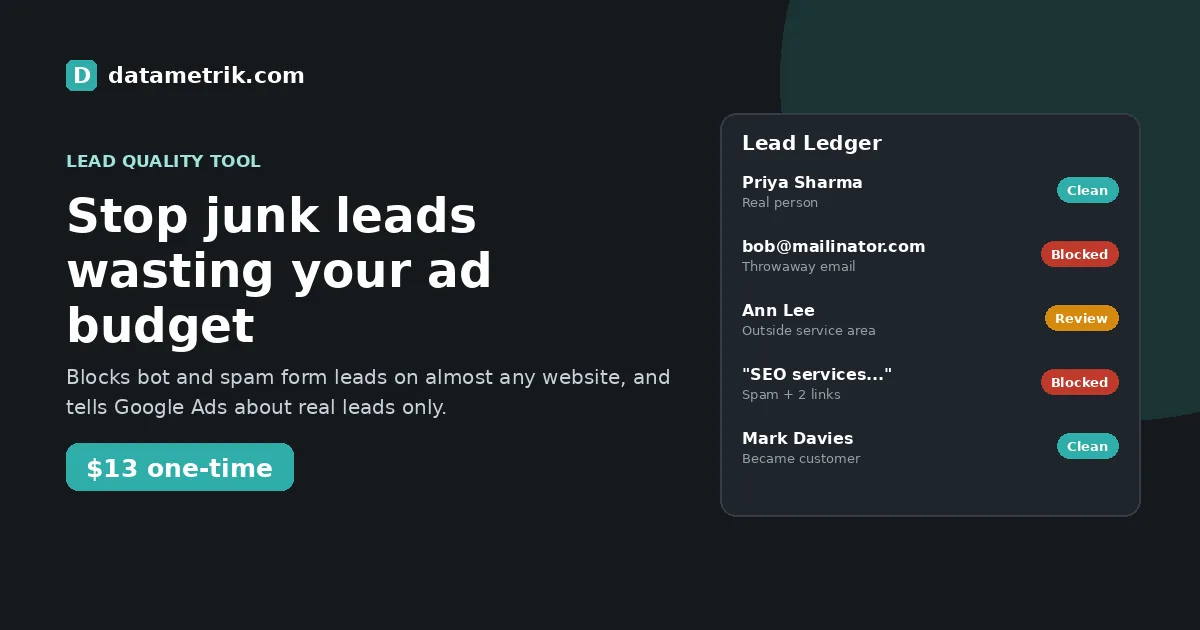
The Junk Lead Filter is a small snippet that blocks fake and spam form leads on almost any website, and makes sure Google Ads only counts the real ones as conversions. Smart Bidding then learns to find more real customers, not more junk.
- One-time payment
- Runs in your own Google account
- Changes nothing without you
- Instant download
The problem with junk leads
“Half our leads are fake.”
Bots and spammers fill your forms. Your sales team wastes hours calling numbers that don’t exist.
“Google keeps finding more junk.”
Every fake lead counts as a conversion, so Smart Bidding goes looking for more people just like them.
“Click-fraud tools cost a fortune.”
Most charge every month and still let junk form fills count as conversions in Google Ads.
What the Junk Lead Filter checks
Works with any form
Contact Form 7, Elementor, Gravity Forms, Shopify, Wix, Squarespace, Webflow, landing page builders and plain HTML.
Bot traps
A hidden field only bots fill in, plus a too-fast-to-be-human check.
Fake contact details
Throwaway emails, fake or repeated phone numbers, gibberish, spam phrases and links in the message.
Service-area check
Optionally flags leads with a postcode outside the areas you serve.
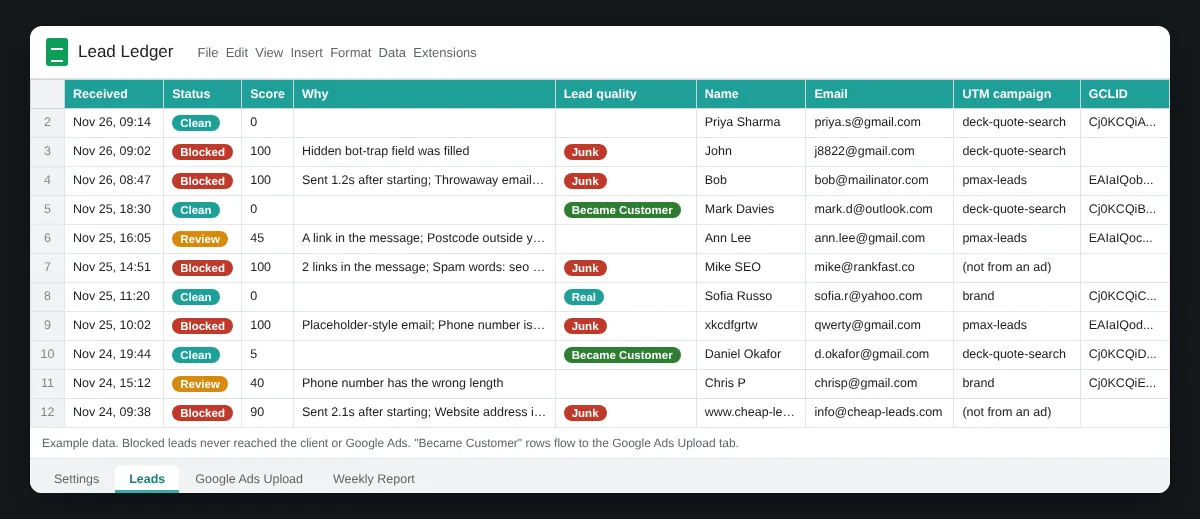
Lead Ledger sheet
Every lead, its score and the reason land in your own Google Sheet, with the Google click ID and campaign.
Real sales back to Google Ads
Mark a lead “Became Customer” and it is ready for Google Ads offline-conversion import, so bidding learns which clicks pay.
How the Junk Lead Filter works
Three steps. No coding, and nothing to install on your computer.
Make your Lead Ledger sheet
Create a blank Google Sheet, paste the included script and click Run. It builds the tabs and gives you a private link and key.
Add the snippet to your site
Paste it into your site header or one Google Tag Manager tag, and add your link and key at the top.
Count clean leads only
Point your Google Ads conversion at the clean-lead event. Junk is blocked, borderline leads are flagged for review, and real leads count.
What you get
junk-lead-filter.js
The snippet for your site. Edit a few settings at the top; everything else works as it is.
lead-ledger.gs
The Google Sheet script: Settings, Leads, Google Ads Upload and Weekly Report tabs.
PDF setup guide
About 15 minutes, no coding, with a 2-minute test to prove it works.
Prefer to hand it over? We install and run tools like this as part of our Google Ads management and tracking setup services.
Who it’s for
Local service businesses
Roofers, deck builders, clinics, lawyers and anyone who lives on form leads.
PPC freelancers
Protect every lead-gen client with one agency licence.
Agencies
Show clients a cleaner cost per real lead, and junk % by campaign every week.
Built by people who fix ad accounts for a living
Every tool starts as something we use on the live accounts we manage at Datametrik.
Junk Lead Filter pricing
One-time payment. Free v1 updates.
Single
For one business or brand.
- junk-lead-filter.js
- lead-ledger.gs
- PDF setup guide
- Free v1 updates
Agency
For freelancers and agencies.
- Use it for unlimited client accounts
- Everything in Single
- Free v1 updates
Prices in USD + applicable tax, shown at checkout. Pick Single or Agency on the checkout page. Secure checkout by Gumroad. Instant download.
refund
Junk Lead Filter: common questions
What is a junk lead?
A junk lead is a form submission that will never become a customer: a bot, a spammer, a fake email or phone number, or someone outside the area you serve.
Why do junk leads hurt Google Ads performance?
If every form fill counts as a conversion, Smart Bidding treats junk leads as success and bids for more traffic like them. Counting only clean leads teaches bidding to find real customers.
Does it only work on WordPress?
No. It works on almost any website that lets you add code to the header or use Google Tag Manager, with any form builder that renders the form on your own page.
Are there forms it cannot see?
Yes. Forms that load inside a box from another website, such as Typeform or Google Forms embeds, can’t be read by any outside script.
Will it block real customers?
Only submissions scoring 80 or more are blocked, and those need strong signals such as a filled bot trap or a throwaway email. Borderline leads still reach you, marked Review. Every decision and its reason is logged, and you can change the thresholds.
Where does my lead data go?
Only to your own Google Sheet. Datametrik never sees it. The snippet sets no cookies; it remembers the ad click ID in the browser for 90 days.
Fix it this week, for $13
Set up in minutes, keep it forever. No subscription.
Get the Junk Lead Filter — $13More tools: Amazon Search Term Harvester · Meta Ads Drop Diagnoser · Multi-account Pacing Sheet · Google Ads scripts · All tools
Last updated: 26 November 2026 · By the Datametrik team