Google Ads Scripts That Explain Drops and Stop Wasted Spend
Datametrik’s Google Ads scripts are ready-made automations you paste into Google Ads in five minutes. Each one solves a problem advertisers and agencies fight every week — from sudden drops to learning mode — for $13 per account, $29 for a whole MCC, or every script in one pack.
- One-time payment
- Runs inside your account
- Single account & MCC
- Free v1 updates
Available Google Ads scripts
Buy any script on its own, or get all of them in the All-Access Pack.
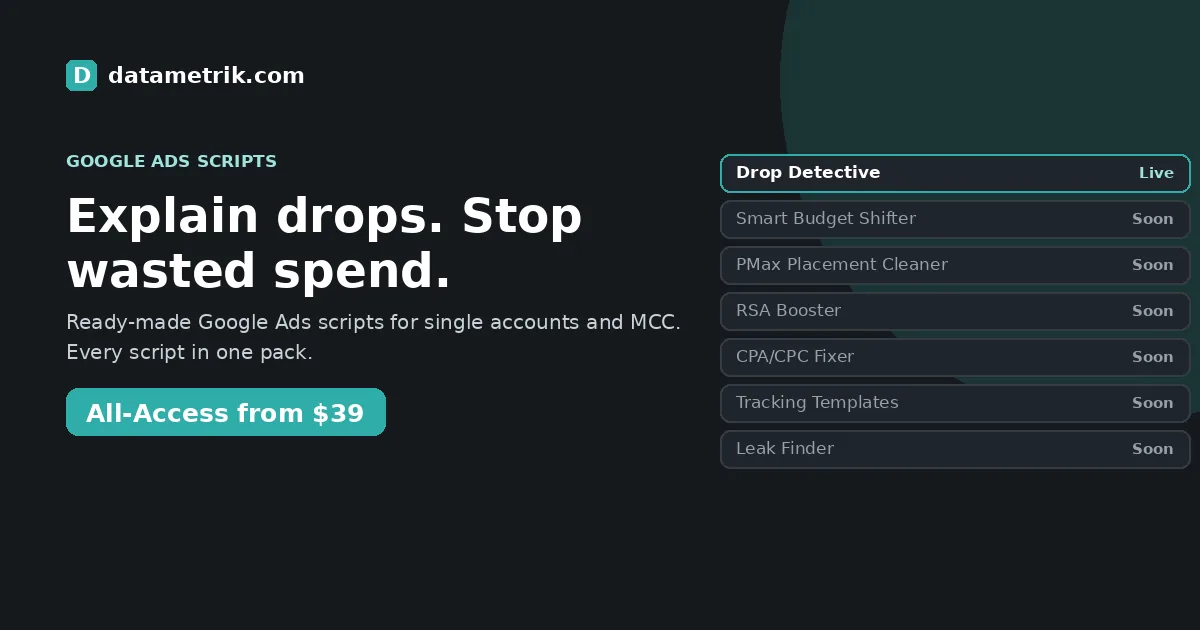
Drop Detective
AvailableExplains why Google Ads performance dropped, every morning, and shows what triggered learning mode.
- Broken tracking & dead landing pages
- Budget, auction and demand drops
- Learning Guard + safe Change Check
- Email + Slack alerts
Smart Budget Shifter
Coming soonMoves budget to the campaigns hitting your CPA or ROAS target, in small steps that don’t trigger learning.
PMax Placement Cleaner
Coming soonFinds game apps, kids’ channels and junk sites in Performance Max and blocks them in safe, capped batches.
RSA Booster + Asset Gap Finder
Coming soonPushes ad strength to Excellent using your best search terms, and shows which extensions each campaign is missing.
CPA/CPC Fixer + Impression Share Watch
Coming soonFinds what is driving costs up and where competitors are taking your impressions.
Tracking Template Manager
Coming soonSet your tracking rules once and apply them to every campaign automatically.
Leak Finder + Audience Builder
Coming soonFinds wasted spend in search terms and builds ready-made GA4 audiences for you.
All-Access Pack: every Google Ads script in one bundle
Get Drop Detective today plus every new script as it launches. The price goes up with each new script, so buying early costs the least.
| When all 7 scripts are out | Single account | Agency (MCC) |
|---|---|---|
| Buying each script separately | $91 | $203 |
| All-Access Pack, founder price | $39 | $79 |
All-Access · Single account
For business owners and in-house marketers.
- Drop Detective, available now
- Every new Google Ads script in v1
- For 1 Google Ads account
- Setup guide for each script
- Email when each script launches
All-Access · Agency (MCC)
For freelancers and agencies managing clients.
- Every script, MCC version
- Up to 50 client accounts per run
- One combined alert per script
- Everything in Single account
- Email when each script launches
Prices in USD + applicable tax, shown at checkout. Secure checkout by Gumroad. Founder price rises with each new script.
refund
What makes these Google Ads scripts different
Learning-aware
Every script checks learning risk before it suggests or makes a change.
Explains why
Not just alerts — each finding comes with the likely cause and the fix.
Safe by default
Read-only or suggest-first, with small capped changes when a script does act.
Built for MCC
One install covers up to 50 client accounts with one combined alert.
How to install a Google Ads script
The same three steps for every script. Each script page shows them with short animations.
Create a blank sheet
Type sheets.new in your browser and copy the URL. It becomes your report.
Paste the URL
Paste it into the script where it says PASTE_YOUR_GOOGLE_SHEET_URL_HERE.
Add it in Google Ads
Tools → Bulk actions → Scripts → +. Paste, authorise, preview, schedule daily.
Built by people who fix ad accounts for a living
Every tool starts as something we use on the live accounts we manage at Datametrik.
Google Ads scripts: common questions
What is a Google Ads script?
A Google Ads script is a small piece of JavaScript you paste into Google Ads (Tools → Bulk actions → Scripts). It runs on a schedule inside your account to check data, send alerts or make changes. Running scripts is free in Google Ads; you only pay for the script itself.
Are these Google Ads scripts safe?
Yes. Drop Detective is read-only and never changes your account. Scripts that do make changes, like the Budget Shifter, start in “suggest only” mode and make small capped changes so campaigns don’t restart learning.
Should I buy one script or the All-Access Pack?
Buy a single script if you only need that one job done. The All-Access Pack gives you every Google Ads script we release in version 1, current and future, for less than buying three separately.
How do I get new scripts in the All-Access Pack?
When a new script launches, it is added to your Gumroad library and you get an email. Nothing extra to pay.
Do the scripts work with a manager (MCC) account?
Yes. The Agency (MCC) version of each script runs from your manager account and checks up to 50 client accounts per run.
Which campaign types do they support?
Search, Shopping, Performance Max, Display, Demand Gen and Video. Each script page lists any checks that only apply to some campaign types.
What if a script doesn’t work on my account?
Email us within 7 days and we’ll fix it or refund you in full.
Can you install the scripts for me?
Yes. Contact us for a one-time setup, or let us run the account for you through our Google Ads management service. Shopping advertisers can also get help with Merchant Center issues.
Get every Google Ads script for the price of three
Founder price: $39 for one account, $79 for your whole MCC. It goes up with each new script.
Last updated: 26 November 2026 · By the Datametrik team