Budget Pacing for Every Client in One Sheet
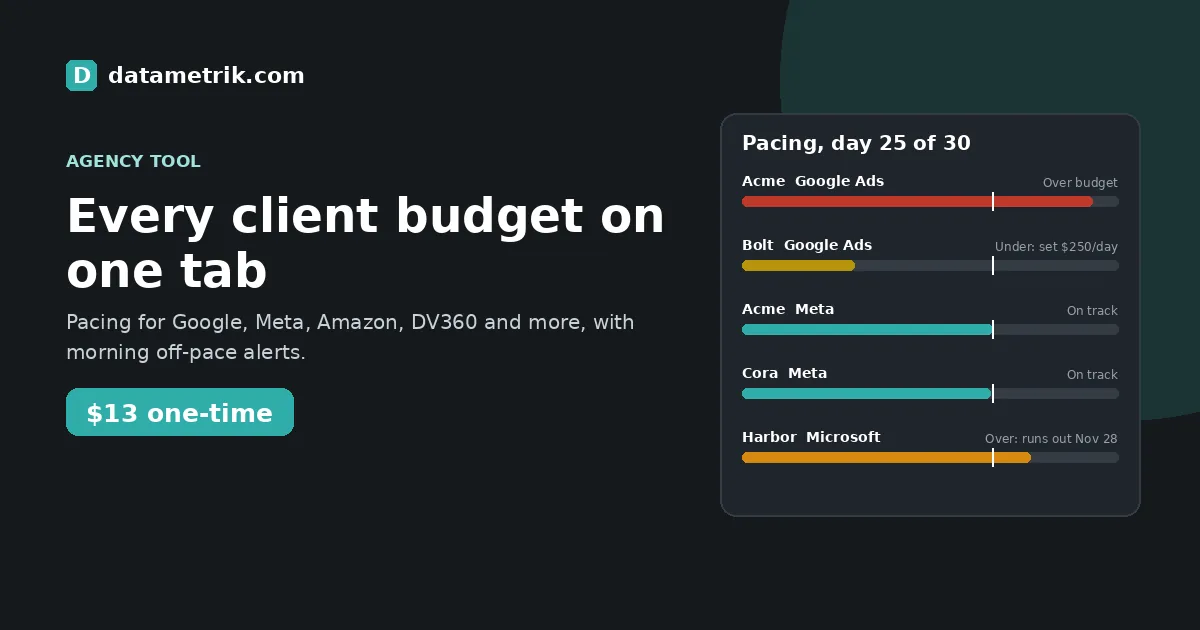
The Multi-account Pacing Sheet is a Google Sheet that shows budget pacing for every client across Google Ads, Meta, Microsoft, Amazon, DV360 and more, and alerts you each morning before an account overspends or underspends. No monthly subscription, and your data stays in your own Google Drive.
- One-time payment
- Runs in your own Google account
- Changes nothing without you
- Instant download
The problem with budget pacing
“We overspent again.”
One client blew through the monthly budget by the 20th and nobody saw it coming.
“Pacing takes all of Monday.”
Checking every account by hand eats hours your team could spend optimising.
“Every platform is different.”
Google, Meta and DV360 each show spend their own way.
What the Multi-account Pacing Sheet checks
All clients, one view
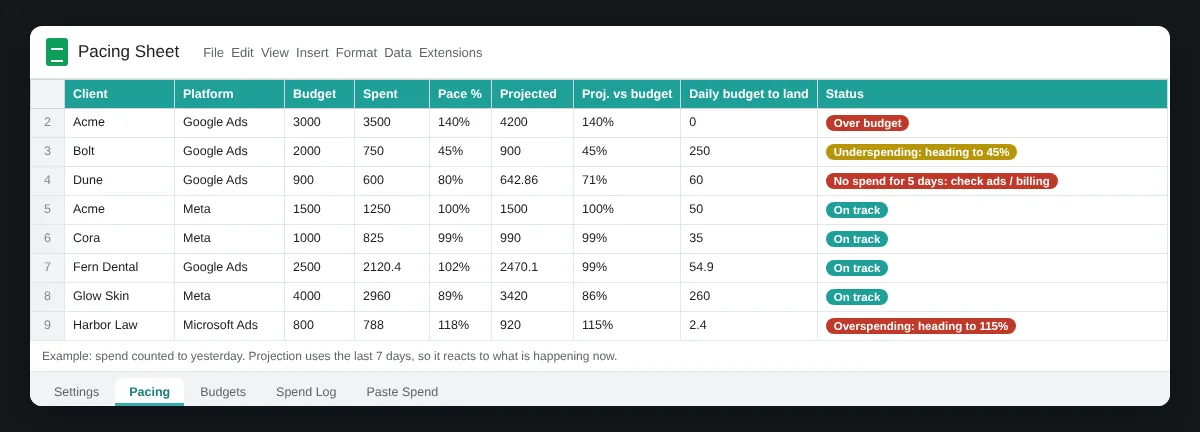
Every account and platform on one tab, sorted with problems first.
Projected month-end spend
Based on the last 7 days, so it reacts to what is happening now.
Over and under alerts
Thresholds you set, by email or Slack. Nothing is sent when all is fine.
Suggested daily budget
What to set today to land exactly on budget.
Stale-spend warning
Flags accounts with no spend for days: paused ads, rejected ads or billing problems.
Flight support
Budgets with custom start and end dates, not just calendar months.
How the Multi-account Pacing Sheet works
Three steps. No coding, and nothing to install on your computer.
Set budgets once
Enter each client’s budget, platform, account ID and dates. One click copies them into next month.
Spend updates daily
The included Google Ads script fills in spend for one account or your whole MCC; other platforms take a quick report paste.
Get pacing alerts
One email and Slack message each morning listing only the accounts that are off pace, with the daily budget to set.
What you get
pacing-sheet.gs
The Google Sheet script with Settings, Pacing, Budgets, Spend Log and Paste Spend tabs.
pacing-feeder-google-ads.js
A read-only Google Ads script that writes daily spend for one account or up to 50 MCC accounts per run.
PDF setup guide
Setup, export settings for each platform, and how every column is calculated.
Prefer to hand it over? We install and run tools like this as part of our Google Ads management and tracking setup services.
Who it’s for
PPC agencies
Stop overspends before the client notices.
Programmatic traders
Track DV360 insertion orders next to search and social.
In-house teams
One pacing view for every brand or market.
Built by people who fix ad accounts for a living
Every tool starts as something we use on the live accounts we manage at Datametrik.
Multi-account Pacing Sheet pricing
One-time payment. Free v1 updates.
Single
For one business or brand.
- pacing-sheet.gs
- pacing-feeder-google-ads.js
- PDF setup guide
- Free v1 updates
Agency
For freelancers and agencies.
- Use it for unlimited client accounts
- Everything in Single
- Free v1 updates
Prices in USD + applicable tax, shown at checkout. Pick Single or Agency on the checkout page. Secure checkout by Gumroad. Instant download.
refund
Multi-account Pacing Sheet: common questions
What is budget pacing?
Budget pacing means checking whether an account is spending at the right speed to use its budget by the end of the month or flight, without running out early or leaving money unspent.
Which platforms does it support?
Google Ads updates automatically with the included script. Meta, Microsoft Ads, Amazon Ads, DV360, TikTok, LinkedIn and others work by pasting a daily spend export.
Does it change my budgets?
No. It shows pacing and suggests a daily budget. You decide what to change.
Is there a monthly fee?
No. It is a one-time purchase: $13 for one business, $29 for agencies with unlimited clients.
Why is today’s spend not counted?
Today’s spend is still coming in, so pacing is calculated up to yesterday for an accurate picture.
Fix it this week, for $13
Set up in minutes, keep it forever. No subscription.
Get the Multi-account Pacing Sheet — $13More tools: Junk Lead Filter · Amazon Search Term Harvester · Meta Ads Drop Diagnoser · Google Ads scripts · All tools
Last updated: 26 November 2026 · By the Datametrik team